
Affy Software · Affy Books
Do your books without the monthly bill. Pay once.
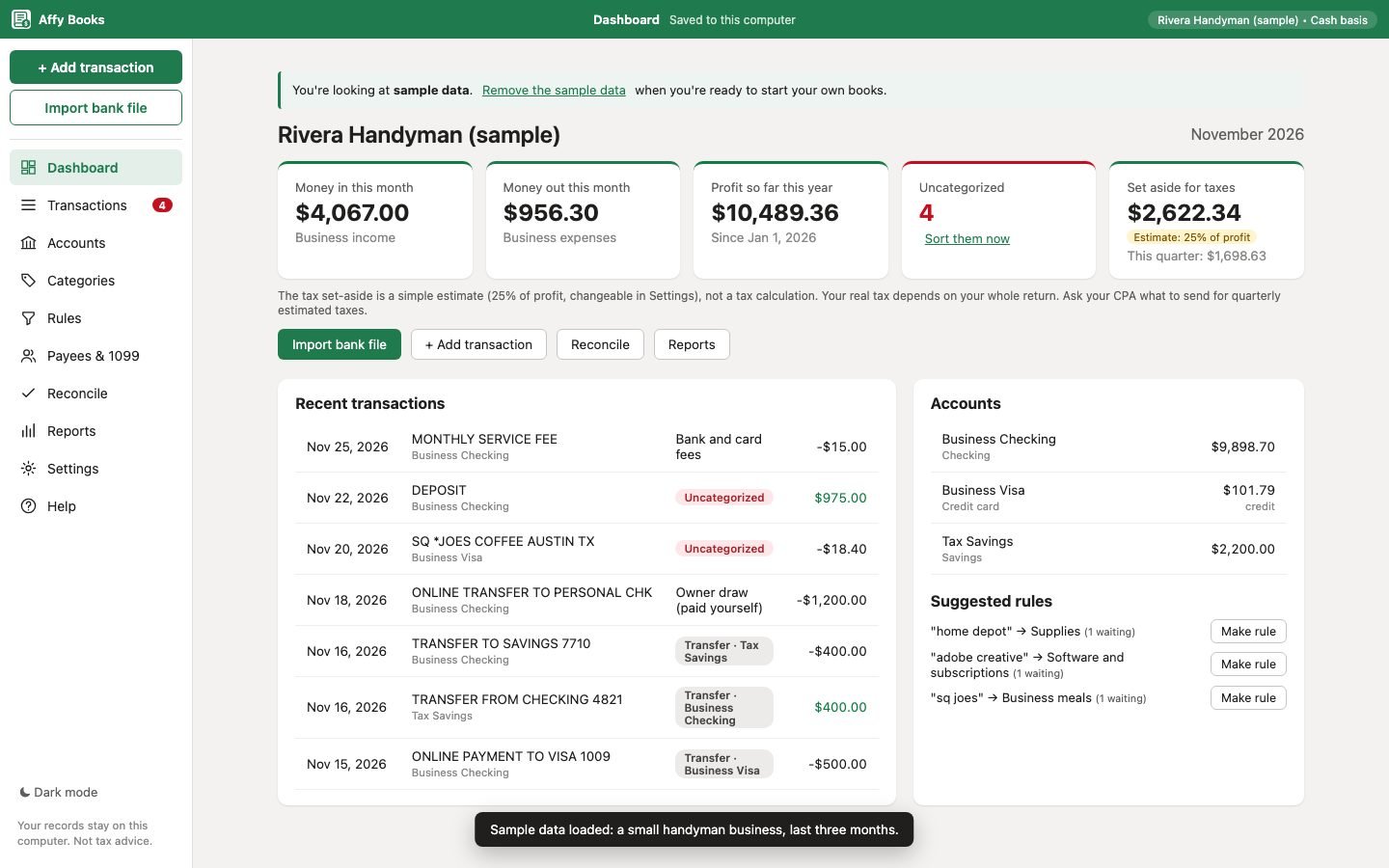
Import your bank files, sort every transaction, reconcile, and get the reports your accountant asks for. Cash basis, plain words.
No sign-up to tryNo subscriptionYour records stay on your computer
What it does
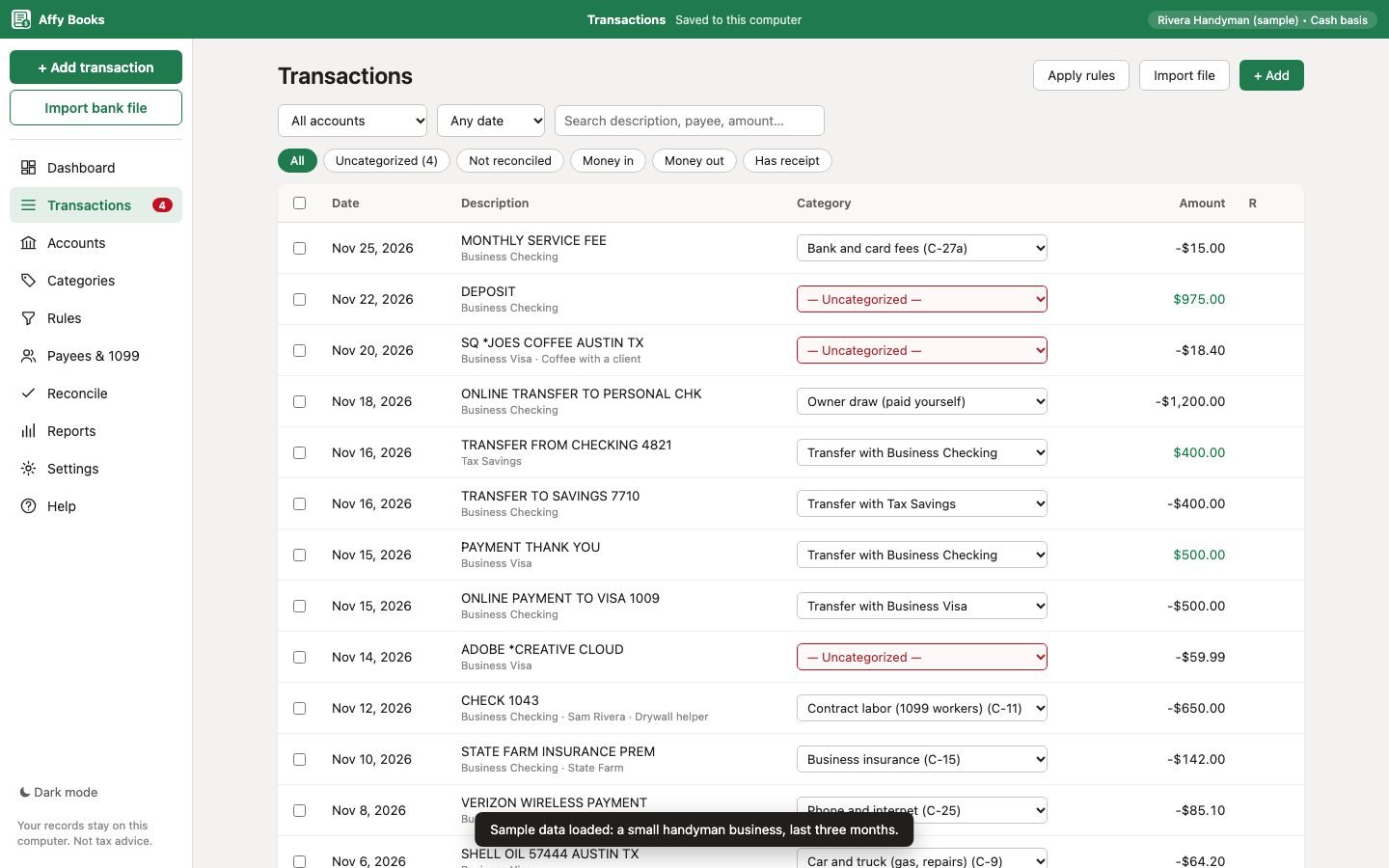
Download a file from your bank or card (CSV, OFX, QFX or QBO) and bring it in. Rules sort the usual ones, and duplicates are caught.
Reconcile each account to your statement, split transactions, and keep a photo of the receipt with each one.
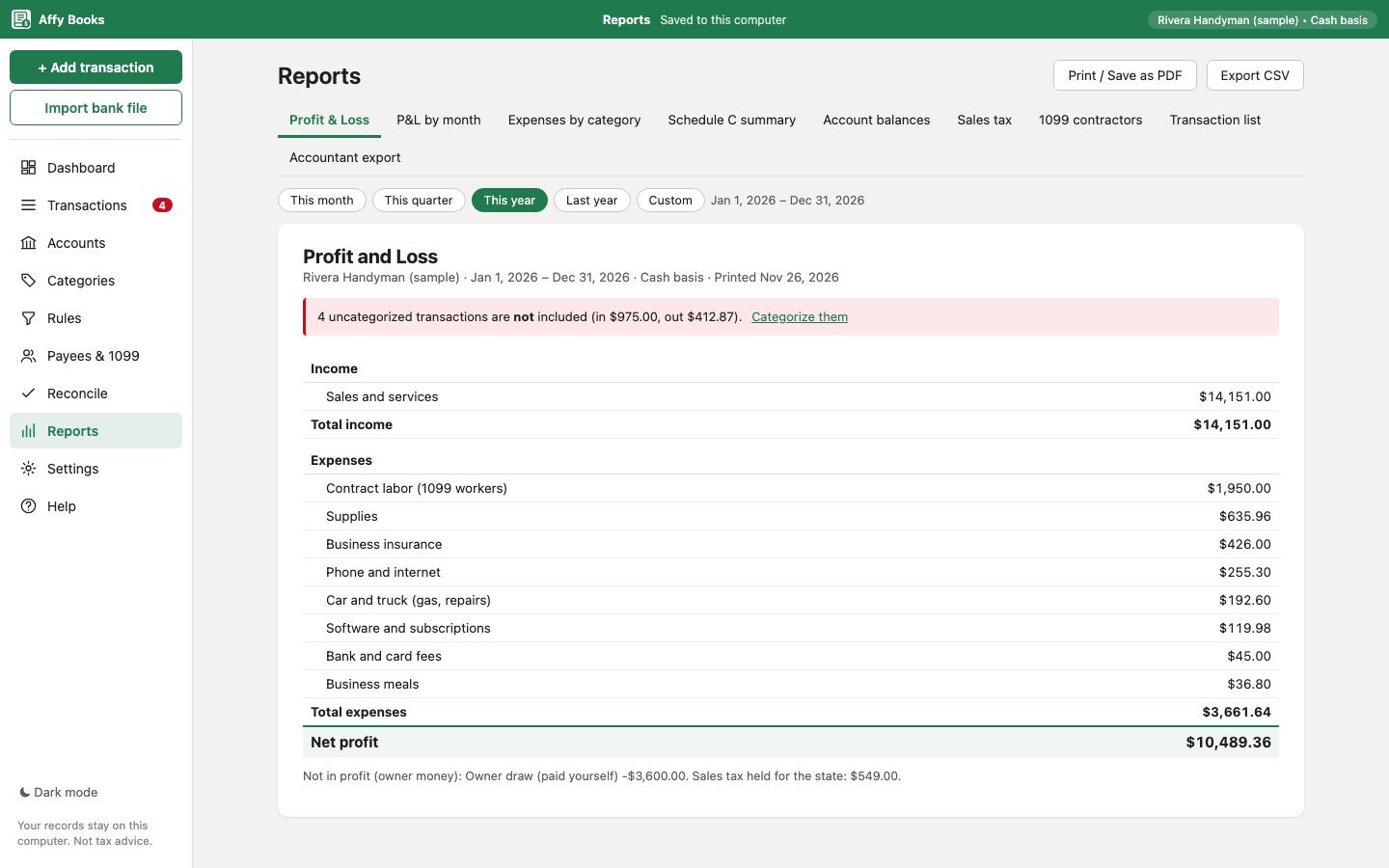
See profit and loss, a Schedule C summary, sales tax and your 1099 list, and hand your accountant one ZIP file at tax time.
Who it's for
One-person shops, trades, side businesses and anyone who keeps their own books and only needs cash-basis bookkeeping.
What you'd pay elsewhere
Stop paying $35 to $100 a month. Here is about what owners typically pay each year for the same kind of tool.
| Instead of | Typical cost |
|---|---|
| A bookkeeping subscription | about $400 to $1,200 a year, every year |
| Affy Books | $149 once, yours to keep |
Typical figures are rough and rounded, for popular monthly plans. Plans and prices vary, so check each company's site.
What's inside
Bank file import
CSV, OFX, QFX and QBO from most banks and cards, with a preview. Undo an import with one click.
Rules
"Description contains this, put it in that category." After you sort the same payee twice, Affy offers to make the rule.
Duplicates caught
Transactions you already have are left out, and possible duplicates are shown for you to decide.
Reconcile
Tick off your statement until the difference is $0.00. Save for later or undo the last one.
Reports
Profit and loss (also by month), expenses by category, account balances, sales tax, 1099 contractors. Print or CSV.
Schedule C summary
Categories line up with Schedule C lines, so you can see the totals by line. Not tax advice.
Accountant export
One ZIP with your transactions, chart of accounts and reports as spreadsheets, plus QuickBooks-format files.
Tax set-aside
A simple estimate of what to put aside from your profit, as a percent you choose.
Good to know
- Cash basis only: no bills or invoices owed, no balance sheet.
- No live bank connection. You download files from your bank and import them.
- It is not tax advice. Check the reports with your accountant.
Questions
Does it connect to my bank?
No. You download a file from your bank's website and import it. Your bank login never goes into Affy Books.
Can my accountant use it?
Affy Books makes a ZIP for your accountant with spreadsheets of your transactions and reports.
Does it work with Affy Invoices?
Yes. It can read an Affy Invoices backup and record the payments as income, matched to your bank deposits.
What happens after the 14 days?
Affy Books asks you to buy it. Your records are safe and nothing is deleted. You can still save a backup of them.
How do I unlock it after I buy?
In the app, choose Sign in and use the email you bought with. We email you a 6-digit code. After that it stays unlocked on that computer.
Where does it run?
In your web browser, from askaffy.com. Chrome works best. Your records are kept in that browser on your computer, not online, so keep a backup file somewhere safe.
Is it really one payment?
Yes. $149 once. No monthly plan.
Try Affy Books free for 14 days.
No sign-up and no card. If you like it, buy it once for $149 and keep it.