
Affy Software · Monthly services · Affy Site Photos
Every job-site photo in one place. One price for the crew.
Take photos on the job, stamped with the time and place. Tag them, mark them up, make reports and share a link with the customer. $49 a month for the company, every user included.
14-day free trial, no card$49 a month per company, unlimited usersCancel any time
What it does
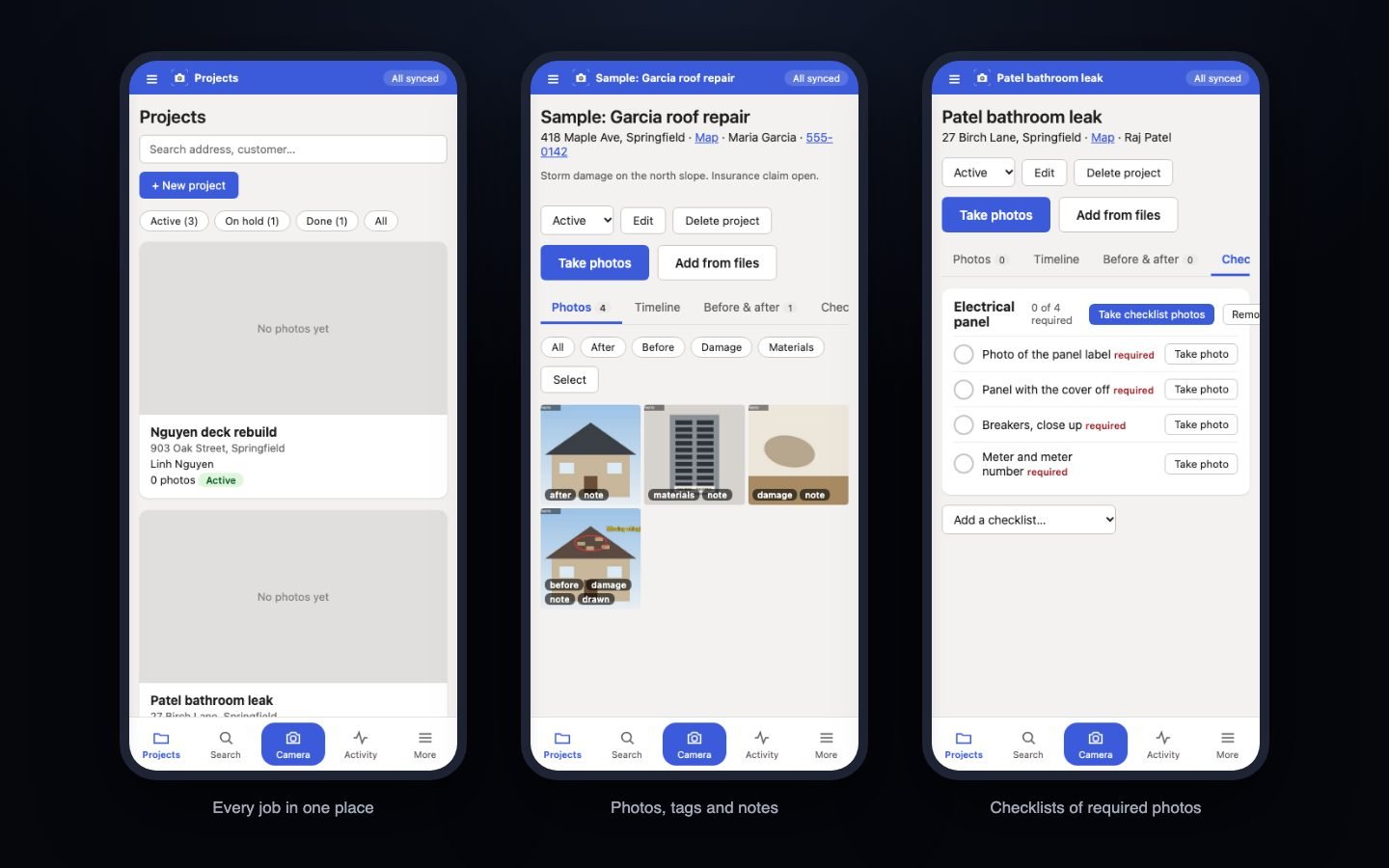
Open the job and tap, tap, tap. Each photo saves at once, stamped with the date, time and GPS, and lands in the right project.
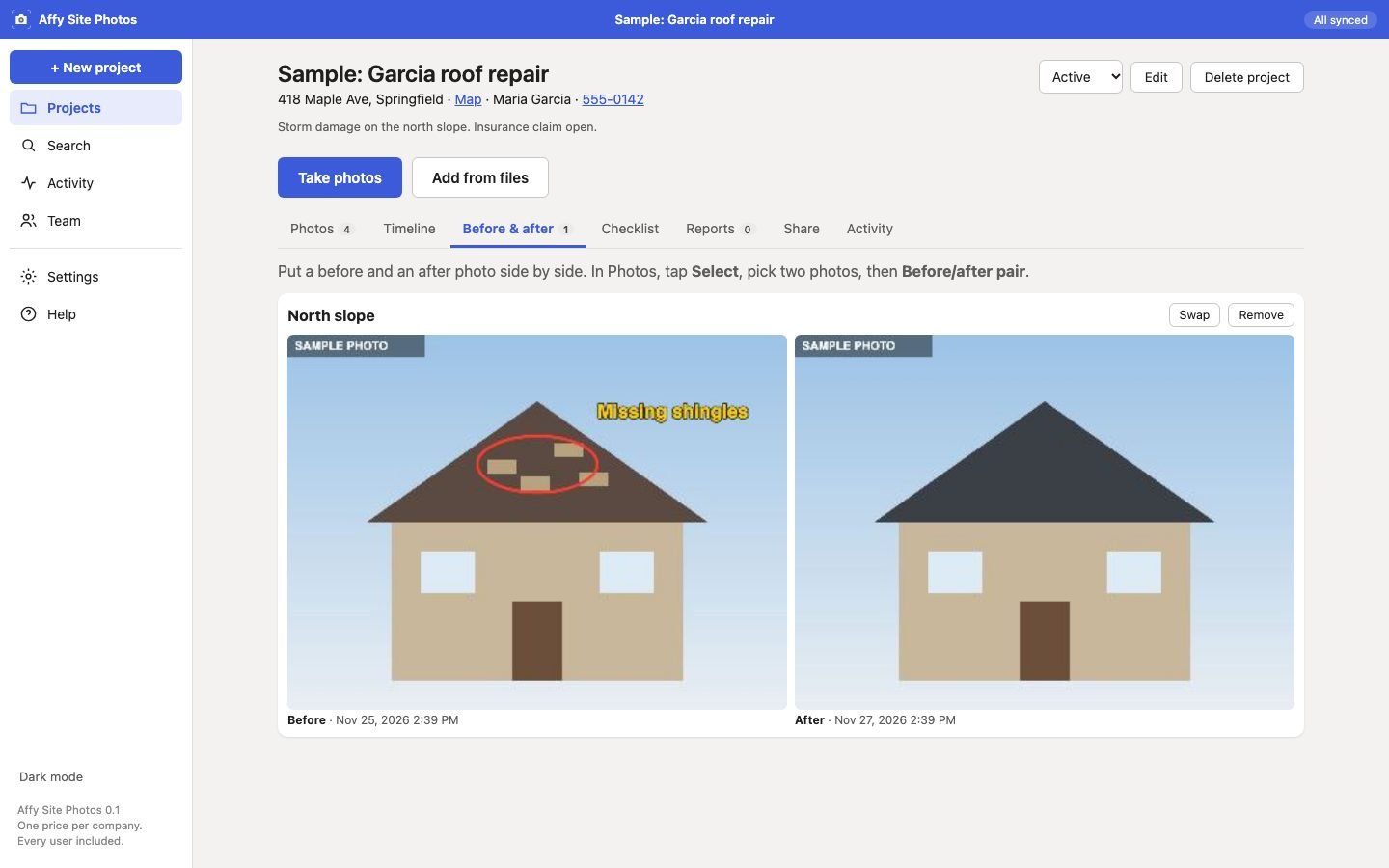
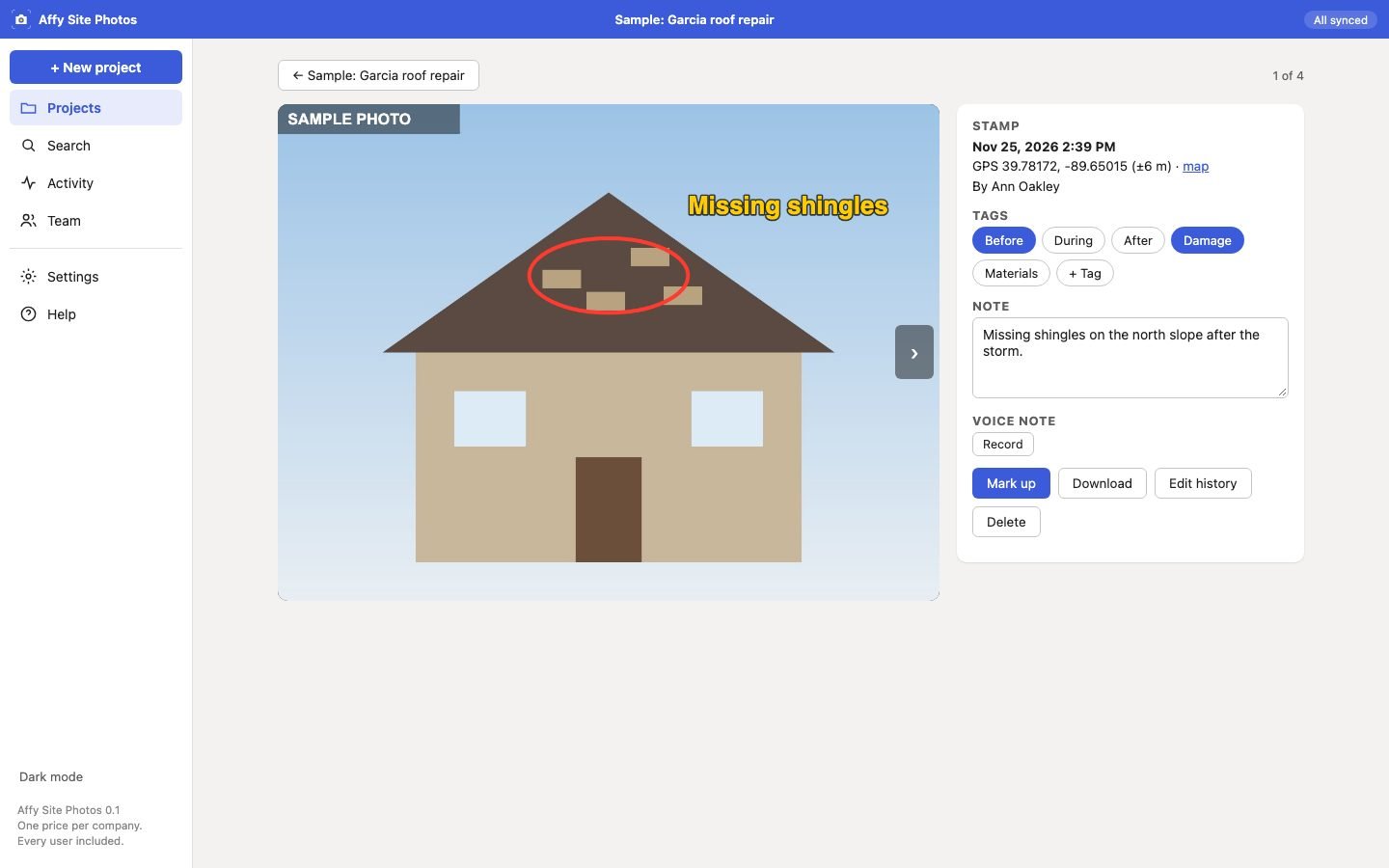
Tag it before, during, after, damage or materials, add a note or a voice note, and mark it up with arrows, circles, text or a blur box.
Make a PDF report on the spot, or send the customer a read-only link that expires. Everyone on the crew sees the same photos.
Who it's for
Contractors and crews: roofers, remodelers, plumbers, electricians, HVAC, restoration, and anyone who has to show what they found and what they did.
What you'd pay elsewhere
Here is about what owners typically pay each month for the same kind of tool.
| Instead of | Typical cost |
|---|---|
| A typical job photo app, priced per user | about $20 to $30 per user a month |
| That kind of app for a crew of 5 | about $100 to $150 a month |
| For a crew of 10 | about $200 to $300 a month |
| Affy Site Photos | $49 a month for the company, every user included |
Typical figures are rough and rounded, for popular monthly plans. Plans and prices vary, so check each company's site.
What's inside
Fast camera
Full screen, one tap per photo, no "use this photo?" step. Pick a tag before you shoot.
Time and GPS stamp
Each photo records when and where it was taken. The stamp can't be changed later, and you can print it on the picture.
Mark up
Arrows, circles, text and a blur box for faces and license plates. The original photo is always kept as it was.
Before and after
Two photos side by side, a timeline day by day, and search by words, tag, person, project or dates.
Checklists
Lists of required photos, like "photo of the panel label". Shoot for one item and see "1 of 4 required".
Reports
Pick photos and make a PDF with your logo, the project, stamps, tags and notes. 1, 2 or 4 photos a page.
Share links
A read-only link to a project or report that expires, can be turned off and shows views. GPS is left out unless you include it.
Works offline
No signal on site? Photos and notes save on the phone and upload by themselves when you're back online.
Good to know
- People sign in with an emailed link, not a password. One email belongs to one company.
- Two roles: admins invite and remove people and delete projects; crew can do everything else.
- Reports are made on the phone, so very big reports use a lot of the phone's memory.
- Voice notes are not shown on share links.
Questions
Is it really unlimited users?
Yes. $49 a month covers the company. Add the office and every crew member at no extra cost.
Does it work with no signal?
Yes. Everything is saved on the phone first and uploads when you are back online. The app opens offline too.
Can the customer see where photos were taken?
Only if you tick the box when you make the link. Otherwise the location is left out and removed from the shared pictures.
Do I need a card for the trial?
No. Start the 14-day trial with your email. Subscribe from the Billing page in the app when you are ready.
What happens after the 14 days?
New uploads and new share links stop until you subscribe. Your photos are safe and you can still view them.
Where are my records kept?
Affy Site Photos runs online, so your records are kept on our secure server, not on your computer. That is different from our pay-once apps, which keep everything on your own computer.
How do I cancel?
From the Billing page in the app, any time, or email support@askaffy.com. There is no contract.
Try Affy Site Photos free for 14 days.
No card to start. If it works for you, it's $49 a month per company, unlimited users. Cancel any time.