
Affy Software · Affy Receipts & Miles
Every receipt and every mile, ready for tax time. Pay once.
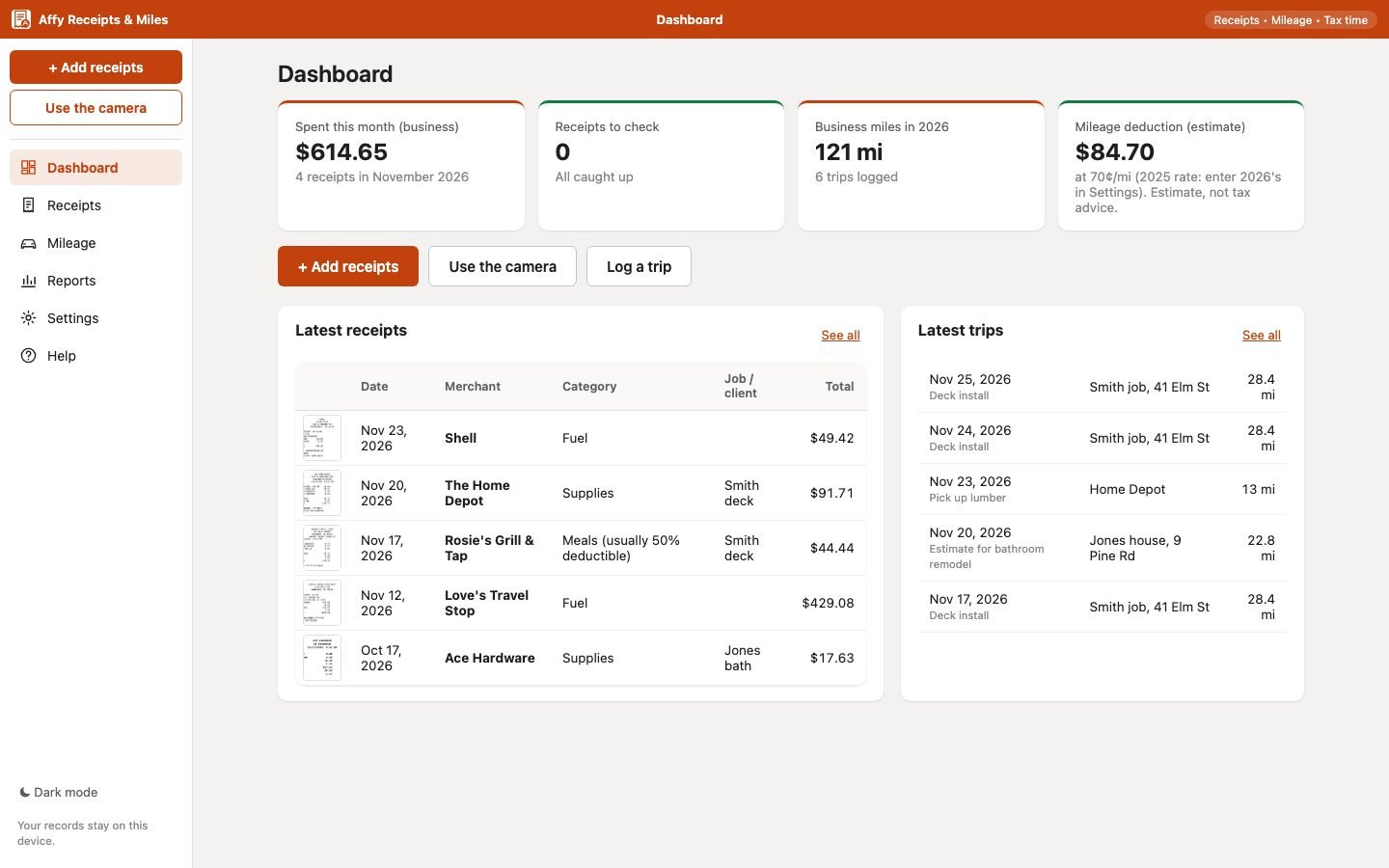
Drop in receipt photos and PDFs and it reads the store, date and total for you. Log business trips in one tap. Hand over a clean report.
No sign-up to tryNo subscriptionYour records stay on your computer
What it does
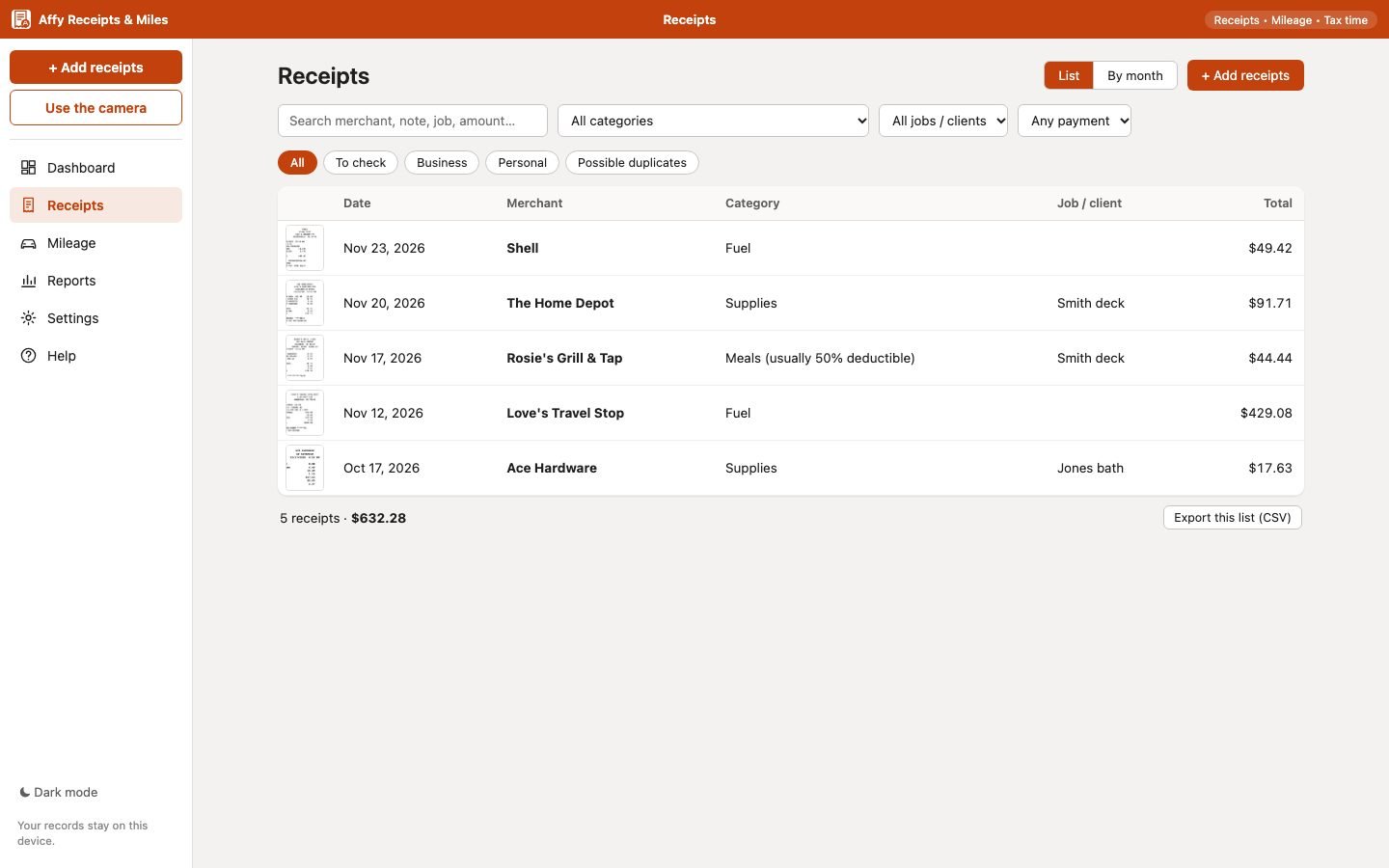
Drop in receipt photos (including iPhone HEIC) and PDFs, or use your camera. It reads the store, date, total, tax and tip for you to check.
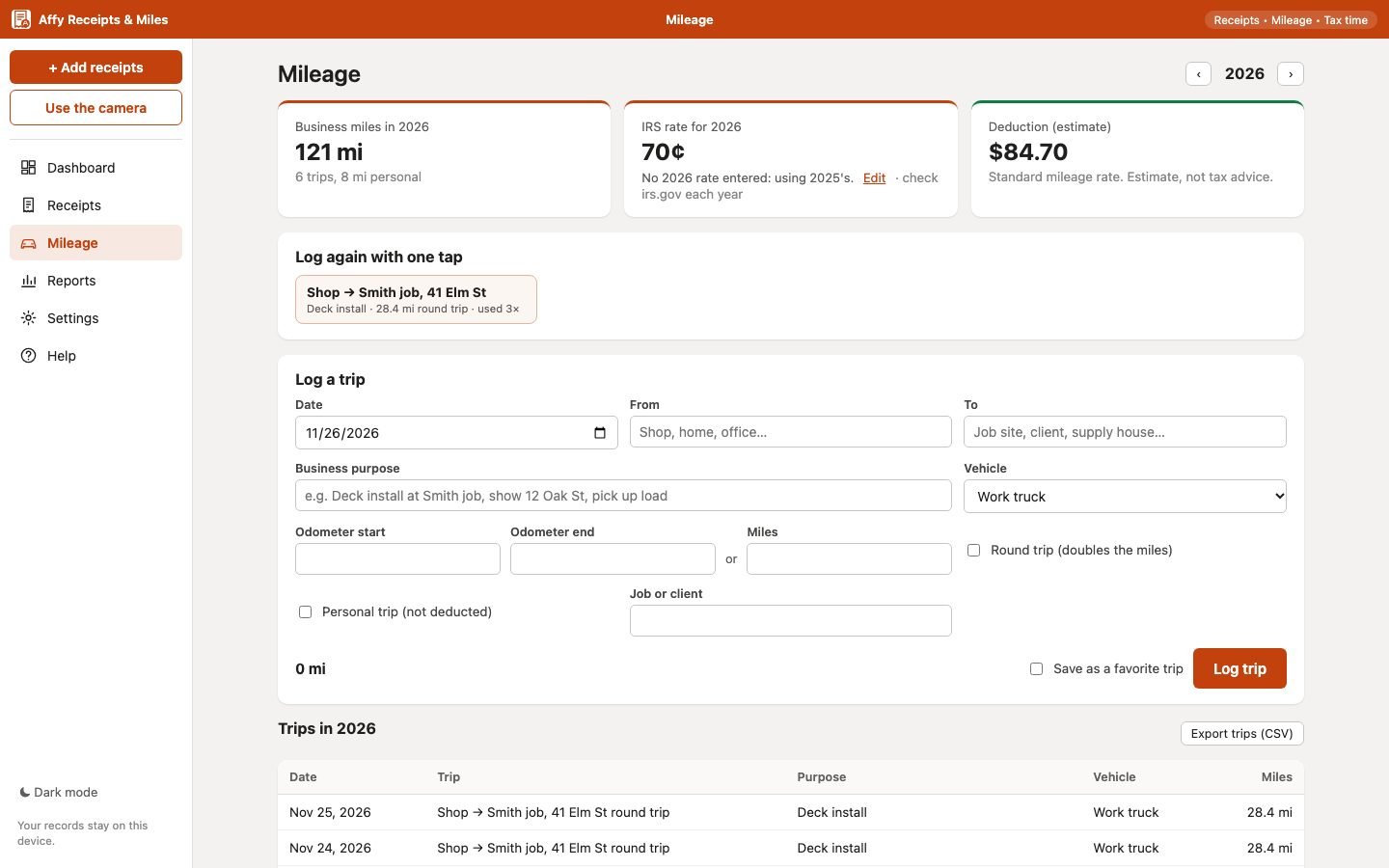
Log business trips with odometer readings or miles. Save favorite trips, then log them again with one tap.
At tax time, print an IRS-style mileage log, a list of expenses by category, and one PDF with every receipt.
Who it's for
Truckers, contractors, realtors, delivery and gig workers, and anyone who drives for work and keeps a shoebox of receipts.
What you'd pay elsewhere
Stop paying $10 to $20 a month. Here is about what owners typically pay each year for the same kind of tool.
| Instead of | Typical cost |
|---|---|
| A receipt scanning app | about $60 to $150 a year, every year |
| A mileage tracking app | about $60 a year, every year |
| Affy Receipts & Miles | $29 once, yours to keep |
Typical figures are rough and rounded, for popular monthly plans. Plans and prices vary, so check each company's site.
What's inside
Reads your receipts
Store, date, total, tax, tip, how you paid and gallons. You check it before it is saved. English receipts.
Many at once
Drop a pile of photos and PDFs on the window. They wait in a queue: "1 of 3 to check".
Categories
Lined up with Schedule C, plus driver extras: fuel, tolls, parking, scales, lodging and per diem.
Duplicate warning
Same store, same total, same day? It tells you before you save it twice.
Mileage log
From, to, purpose, odometer or miles, round trips, several vehicles, and one-tap favorite trips.
Mileage rates
IRS rates by year, which you can edit. It reminds you to check irs.gov each year.
Reports
Expenses by category, the mileage log, and a receipt pack PDF with a summary page. CSV for each.
Phone layout
A Snap button for the camera on small screens. Move records between devices with a backup file.
Good to know
- Reading works best on clear, flat receipts. Faded or crumpled ones may need a quick fix by hand.
- Records stay on the device you use. There is no automatic sync between your phone and computer.
- Deduction figures are estimates, not tax advice.
Questions
Does it track miles by GPS?
No. You log trips yourself, by odometer or miles, and favorite trips take one tap.
Can I use it on my phone and my computer?
Yes, but each device keeps its own records. A backup file moves them from one to the other.
What about the 2026 mileage rate?
Rates are kept by year and you can type in the new one. It tells you when a year has no rate yet.
What happens after the 14 days?
Affy Receipts & Miles asks you to buy it. Your records are safe and nothing is deleted. You can still save a backup of them.
How do I unlock it after I buy?
In the app, choose Sign in and use the email you bought with. We email you a 6-digit code. After that it stays unlocked on that computer.
Where does it run?
In your web browser, from askaffy.com. Chrome works best. Your records are kept in that browser on your computer, not online, so keep a backup file somewhere safe.
Is it really one payment?
Yes. $29 once. No monthly plan.
Try Affy Receipts & Miles free for 14 days.
No sign-up and no card. If you like it, buy it once for $29 and keep it.